Colorado 300 - software 2.51, issue list
1. Error in Bluechart drawing
2. Depth of obstructions
3. Tides has wrong time format, and can only show tides for current day
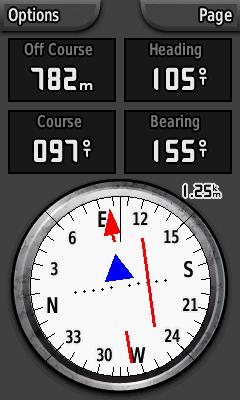
4. Course pointer, what's wrong
5. Global setting/Profile setting - Select map
6. Global setting/Profile setting - Compass bearing/course mode
7. Global setting/Profile setting - Compass Automatic/Off
8. Option pane in geocache mode
9. North up/track up
10. Map panning
11. Sound/alarms
12. Mark waypoint
13. Design vs readability
14. Others
1. Error in Bluechart drawing
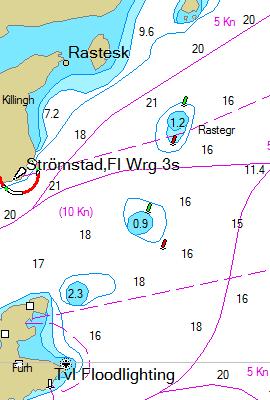
I'm using Chart Se 935(B) Sweden, and the position is near
N 58° 56.156' E011° 09.623'
| BlueChart 8.5 | BlueChart g2 on Colorado-300 |
 |
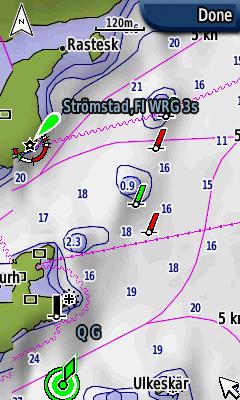 |
The same area is shown with BlueChart 8.5 with Mapsource and Bluechart g2 with Colorado-300. Mapsource shows correct position of the red and green buoys. At the Colorado-300 the buoy drawing is incorrect. If you go in eastern direction and follow the map you will think that yuo shall steer with green buoy at port and red buoy at starboard. This will be a disaster.
2. Depth of obstructions
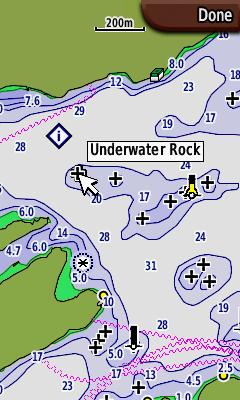
If you have a bout that requires 2m free water and want to navigate in this
area
| Point on it, is it safe? | Press enter: Underwater Rock |
 |
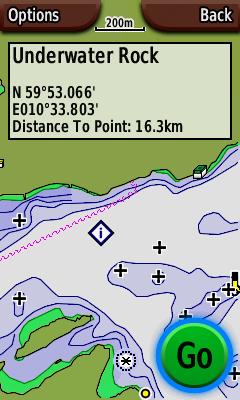 |
In fact, this Underwater Rock has depth 17m, The other obstructions in that area has depth 7.5m, 4.5m, 1.6m, 4.3m and 5.4m. How can I know where to go? The depth of obstructions must be written in the map as it is for the GpsMap 76S.
I think another improvment is to have two depth levels in the setup menu. Obstructions from 0m to first limit is drawn with cross and depth info. Obstructions from first limit to second limit are drawn as cross, but you must use rocker to find the depth. Obstructions deeper that second limit are not drawn.
3. Tides has wrong time format, and can only show tides for current day
| Tides | |
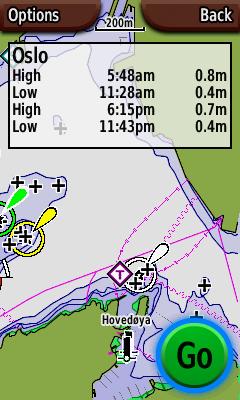 |
Tide times are shown with "12-hour clock" format even if your
setting is "24-hour clock"
Somtime it's important to know tide times for next week, or next month.
This is not possible.
4. Course pointer, what's wrong
| Course mode I | Course mode II |
 |
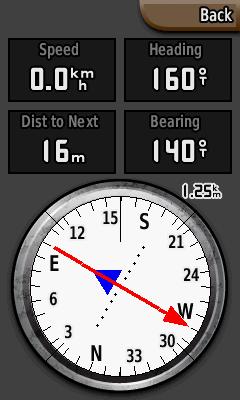 |
The manual does not anything about course pointer. Anyway it's reasonable to guess that the red arrow points out the course and the blue triangle points out the bearing. It does not. The blue triange points in the same direction or the opposite direction of the course. This must be an error.
5. Global setting/Profile setting - Select map
| Global map list | |
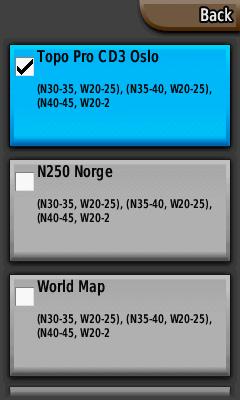 |
The map selection list is common for all profiles. The map selection list should of course follow the profile, such that you have a Topo map for Geocaching, A BlueChart g2 for Marine, Navigator for Automotive and so on. THis should work even if you have maps on different SD memory cards. If you switch SD card or switch to a profile that requires another SD cacrd, the software should promt for another SD card or ask the the user if he/she wants to switch to another profile.
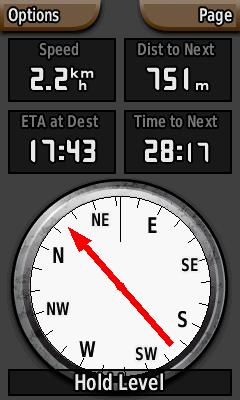
6. Global setting/Profile setting - Compass bearing/course mode
| Bearing mode | Course mode |
 |
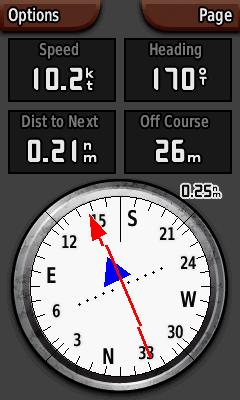 |
I guess that Course mode is very useful in marine mode (if it had worked), but not very useful in Geocache mode. Unfortanatly this setting is not attached to a profile, it's a global property. So if I set Course mode when I'm navigating a route in marine mode, and then go on shore to find a geocache I will switch to geocache mode. Then I'm still in Course mode, and I'm stuck in this mode since the option pane isn't available in Geocache mode (see error 8). Mode setting should be a profile propertiy.
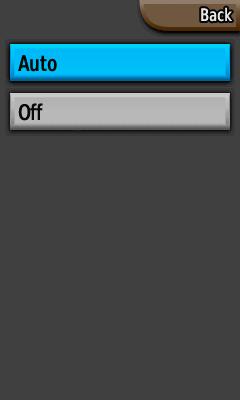
7. Global setting/Profile setting - Compass Automatic/Off
| Auto/Off ... | Electronic compass or gps compass |
 |
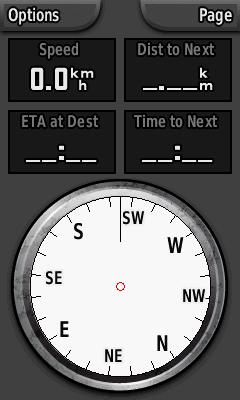 |
The electronic compass is useful, but sometimes, for example in a sailboat
with low speed it's necessary to switch the electronic compass off, and
that arises a lot of problems:
1) The setting is global
I think it's useful to set the compass off in marine mode. When I switch
back to geoacache mode the compass is still off.
2) The setting should be on the options pane.
As it is today this setting is almost impossible to find. It's in the setup-menu
for "Heading". It’s a very strange place to put this menu
item.
3) The user should have the ability to set parameters for when the compass
shall switch from electronic compass to gps compass.
4) The compass page should show an icon showing if it's in electronic mode
or gps mode
8. Option pane in geocache mode
| Auto/Off ... | Electronic compass or gps compass |
|
|
In geocache mode the options menu is gone. This means that you cannot change data field without exiting geocache mode go to the map or compass page outside geocache mode and then reenter geocache mode. This is extremely irritating in compass page if you want to switch from course mode to bearing mode. In this case you have to exit geocache mode, start a new navigation, go to the compass mode, switch to bearing mode, stop navigation, and then reenter geocaching mode. It's a pain.
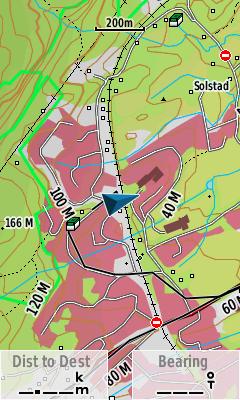
9. North up/track up
| North up | Track up |
 |
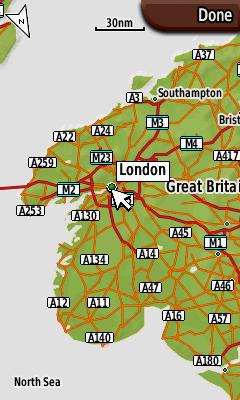 |
I think most people like to see a world map, a country map or a county map with north up. When you are navigating in the forest or with boat in the skerries, it's good to zoom in and with the gps with track up. So I really mitt an automatic switch between north up and track up, and that is possible to set the zoom lever where the mode will switch. I also miss to have this setting in the options menu.
10. Map panning
| Improved Map panning | |
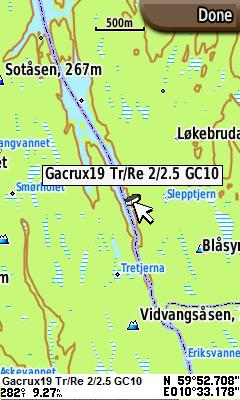 |
When panning across a map it should be useful to see distance and bearing to the cursor location. In the figure I have given an example of how this information may we written in the bottom of the screen.
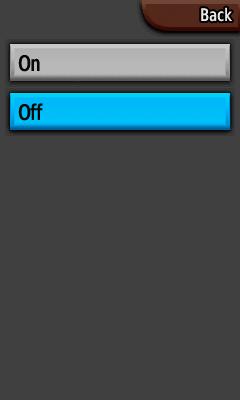
11. Sound/alarms
| Sound menu | Alternative sound menu |
 |
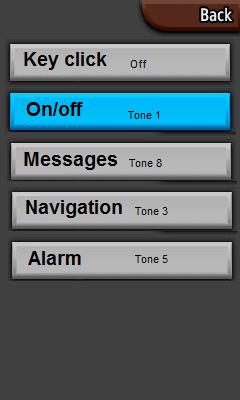 |
Sound on/off is not good enough. I really hate key click on my electronic devices, and I think people around will go mad if I have key click on. On the Colorado the only choice is sound on/off, so when I turn off key click I also turn off messages, alarms, navigation etc. This is too bad. I have shown a good alternative where you can select individual sound for key click, on/off, messages and so on.
12. Mark waypoint
| Mark waypoint | Edit waypoint |
 |
 |
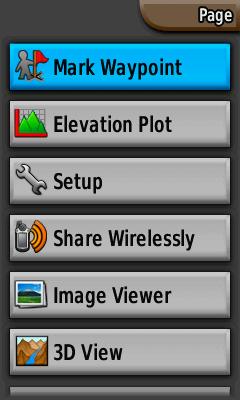
It seems that Mark waypoint does not work. It really doesn't matter since it's also possible to mark waypoint by pressing the button in 2 seconds more.
From a geogachers point of view, just to mark a waypoint is too simple. When you put out a new cache you will probably try to average the position over 5-10 min. There are no such functinality on the Colorado.
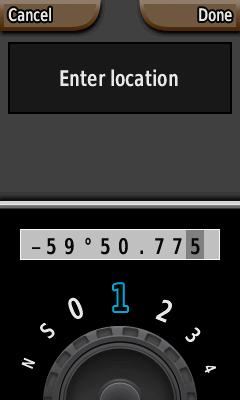
If you want to create a new waypoint the easiest way is to mark a waypoint and then edit the location. I would really want to edit all data on one page insted of going bach and forth between edit name, edit symbol, edit position etc. When I edit the position I really want to see the entire position string to see if it's correct entered into the GPS.
13. Design vs readability
| Soft Key Color | Computer page |
 |
 |
Im sure a lot of work has been done to improve the design on the unit. My wishes is less design and more readability.
It looks nice to have different background images with different profiles, but she background disturbs the readability. I have found that the best background is a uniform dark (not black) image.
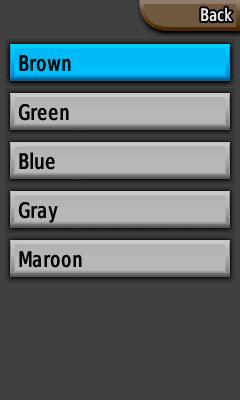
When you feel that a lot of functionality is missing it seems funny that it's possible to change Soft key color. Does it really matter? If I had an option to change color on any elements I would change color on the track log. The black line in the tracklog mix up whith the map and decreases both the readability of the map and the track log.
In compass page, course mode, it seems strange to use a triangle as a direction pointer since a triangle points in three directions. I know I must look at the dotted line, but a triangle as a direction pointer is only for the design, and decreases the readability of the bearing pointer.
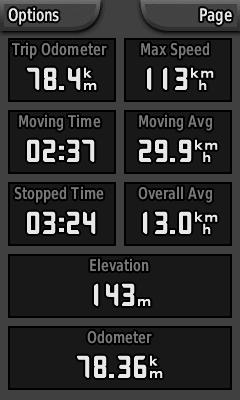
The font selection for the computer page (and a couple of other places) is an old calculator style. This font type has lover readability than fonts with rounded symbols.
A lot of talk about readability, but it is important. I don't use my GPS at the office. I use it outdoor and the weather condition can be bad. I don't want to get lost just because someone lets design go ahead of readability.
14. Others
| Improved power page | Improved list |
 |
 |
It should be possible to enter a personal welcome message (with name and contact info).
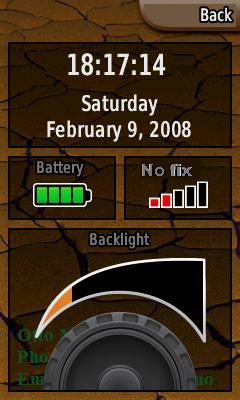
Power page should show time in hh:mm:ss format. A lot of people use a GPS as a master clock.
In the map page, there is enough space for a bearing poitner between the data fields (just like it is in the geocaching main page).
The limitation on number of geocaches should be at least 10000, today this limitation is 2000.
There is a strange limitation in the GPX-file size. It seems that the total size of the GPX-files is limited to 10Mb. This limit must be removed.
"Off course" data field must indicate if you are left or right of the course line (as for the Gpsmap76S).
It must be possible to delete a group of waypoints (based on symbol).
It must be possible to search for nearest POI relative to a WP or geocache, or other POI.
The unit is not waterproof. It claims to be IPX7 proof, but that’s not true.
Copyright © Otto Milvang